AI
Claim 1 Year of Cursor Pro for Free in 2026
Get 12 months of Cursor Pro for free with your student email. Follow this step-by-step guide to verify your .edu address and claim the $20/month plan at $0.
4 min read
By Timmy
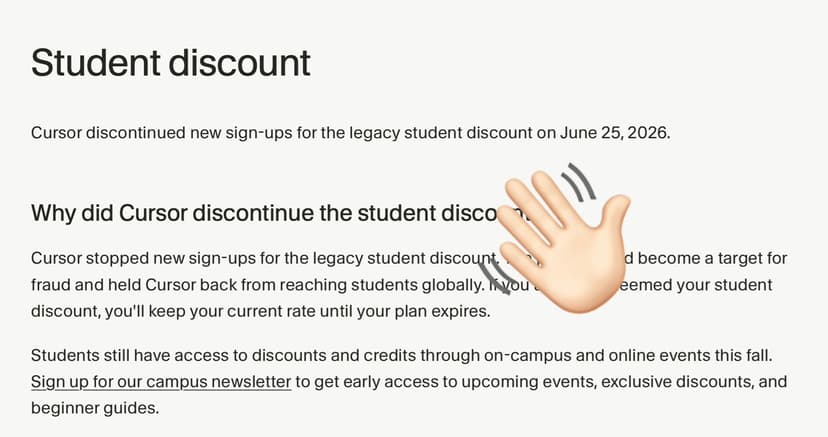
UPDATE: Cursor has discontinued new sign-ups for its legacy student discount program as of June 25, 2026.
Cursor continues to be the ultimate tool for developers, offering features like Tab-complete, Composer, and Chat powered by the latest AI models. While the Pro plan usually costs $20/month, students at accredited institutions can get 12 months for $0.
Follow this strict guide to ensure your verification succeeds on the first try.
⚠️ Critical Prerequisites
Before starting, ensure you have:
1. A valid School Email (.edu or equivalent): You must have access to this inbox.
2. A Cursor Account registered with that email: The email on your Cursor profile must match the email you put in the verification form.
Note: If you are currently logged in with a personal Gmail/Github account, sign out and create a specific account using your student email address.
Step 1: Register or Login with School Email
Go to cursor.com and sign up (or log in) using your official university email address.
Step 2: Access the Settings Dashboard
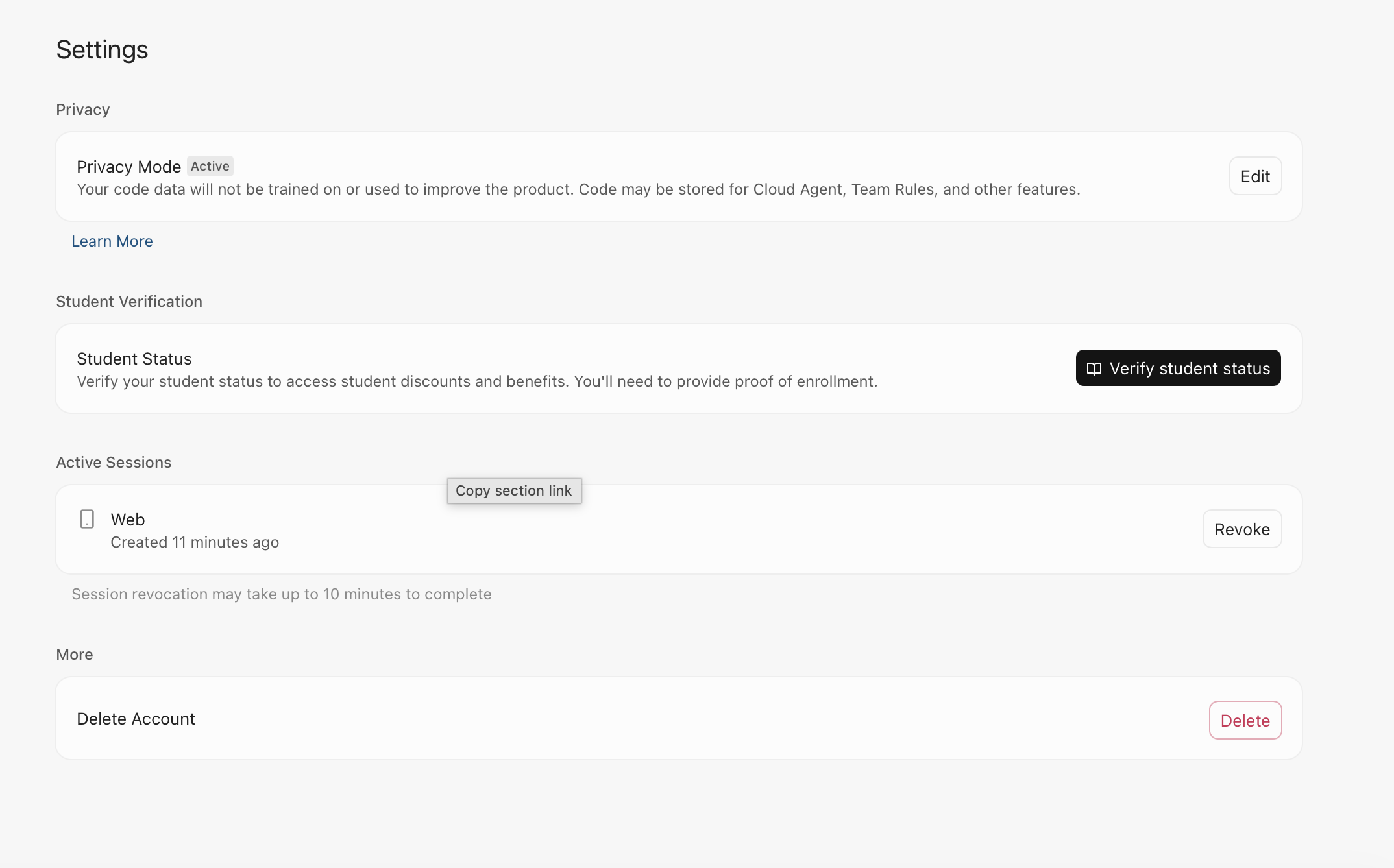
Once logged in, you need to locate the verification section.
1. Navigate directly to the settings dashboard via this link: cursor.com/dashboard?tab=settings
2. Alternatively, inside the Cursor website interface, click on your profile icon and select Settings or Dashboard.
Step 3: Initiate Verification
On the Settings page, scroll down until you see the "Student Status" section.
1. You will see a prompt: "Verify your student status to access student discounts and benefits. You'll need to provide proof of enrollment."
2. Click the button labeled Verify Student Status.
Step 4: Fill Out the SheerID Form
You will be redirected to the verification form (as seen in the screenshot). Enter your information accurately:
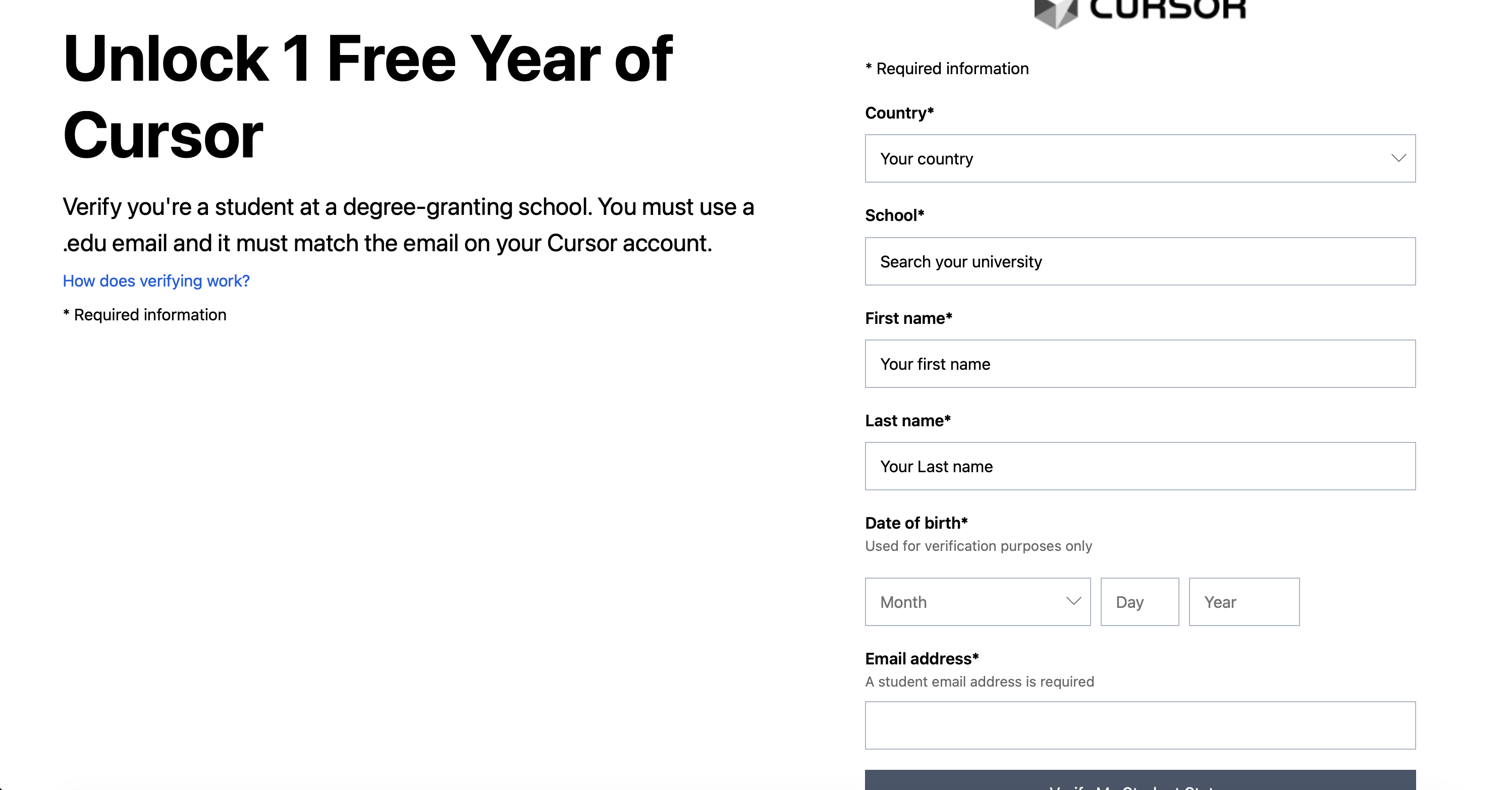
Country: Select the country where your school is located.
School Name: Start typing your university name. Select it from the dropdown list.
Tip: If your school doesn't appear, try typing the full official name rather than abbreviations.
First & Last Name: These must match your student ID or registrar records.
Date of Birth: Required for identity verification.
Email Address: Enter your .edu / school email again.
Click Verify My Student Status / Submit.
Step 5: Complete Verification (SheerID)
The system will process your request:
Instant Verification: In most cases, you will be verified immediately if your data matches the global student database.
Portal Login: You may be redirected to your university's Single Sign-On (SSO) portal to log in.
Document Upload: Rarely, you may be asked to upload a photo of your student ID or a dated course schedule if the system cannot verify you automatically.
Step 6: Activate the Offer
Once verified, you will be redirected back to Cursor.
1. The dashboard should now show that you are eligible for the Student offer.
2. Proceed to the subscription/payment page.
3. Select Annual Billing.
4. The price should update to $0.00.
5. Complete the checkout (you generally do not need to add a credit card if the total is $0, though this depends on your specific region).
FAQ & Troubleshooting
Q: I verified successfully, but I don't have Pro features.
A: Log out of the Cursor desktop app and log back in. Ensure the email in the app matches the email you just verified.
Q: My country is not in the dropdown list.
A: As of 2026, verification is available in over 40 countries (US, UK, Canada, Most of EU, Japan, etc.). If your country is not listed, the program is unfortunately not available there yet.
Q: Can I use a high school email?
A: Generally, no. This offer is specifically for degree-granting institutions (Colleges and Universities). High school domains are usually rejected by the verification partner, SheerID.
Q: What happens after 1 year?
A: The plan will expire. And, your subscription will automatically renew at the regular price.